
Anime Champions X Free Auto Attack and Auto Abilities
Unlock permanent Auto Attack without spending Robux, finish daireb’s Auto Pilot quest, and choose which Champions cast their abilities automatically.
Accept daireb’s Free Gamepass quest for 5 Vouchers, then redeem them for Auto Attack in Store → Passes. Turn on Auto and defeat 20 enemies for Auto Pilot. Auto Abilities is a separate 1,000 Gold upgrade with a toggle for each Champion.
Get Auto Attack From daireb
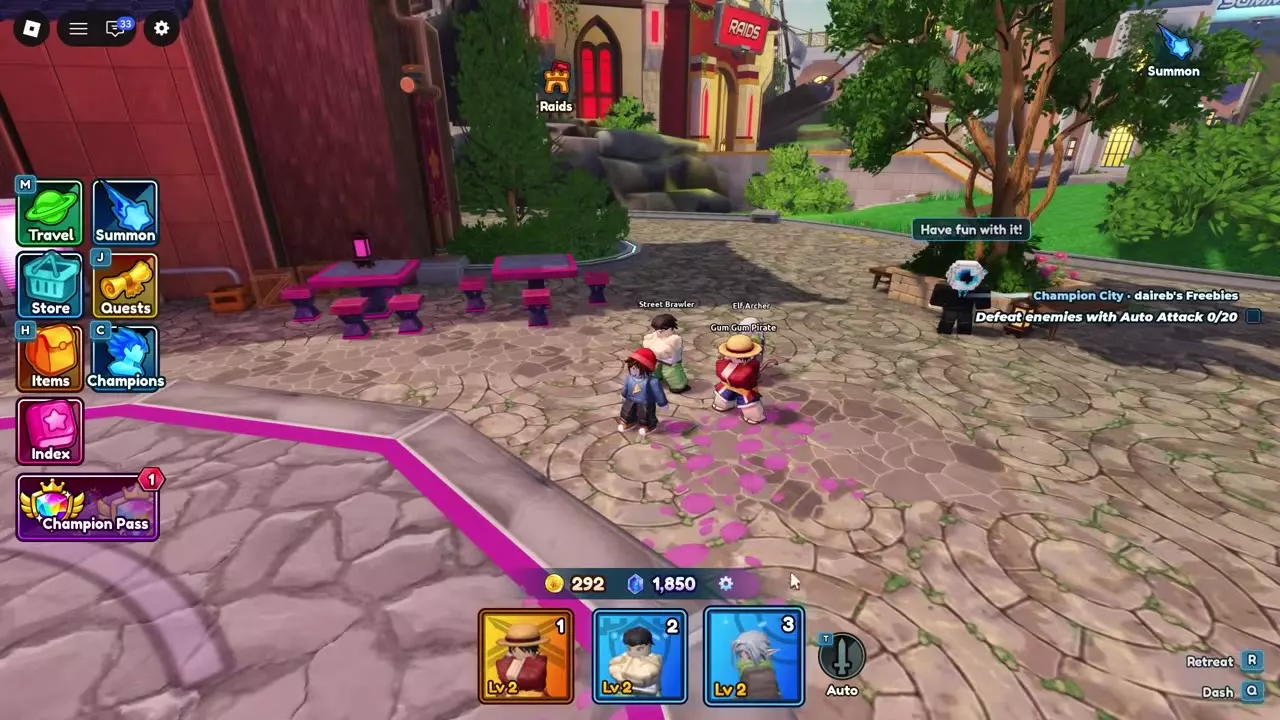
Find daireb beside a tree near the Market in Champion City.
- Use E Talk and accept Free Gamepass, the first of his two quests. Accepting it gives you 5 Vouchers.
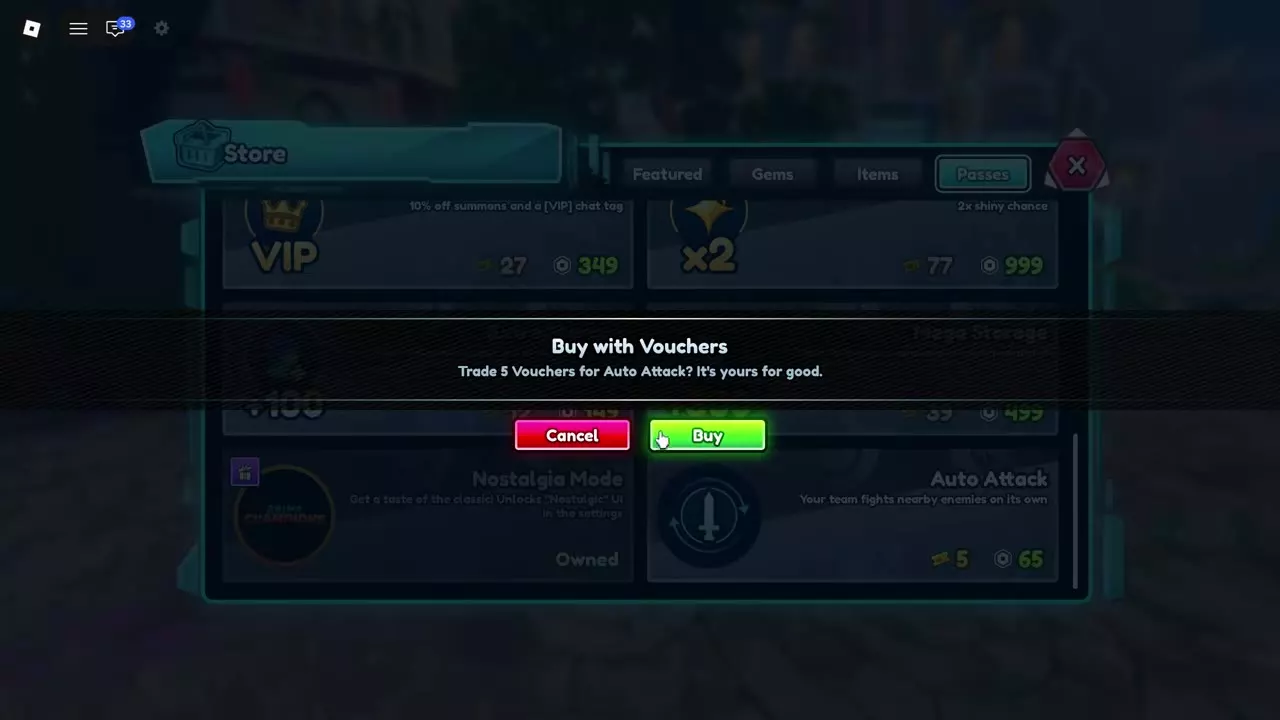
- Open Store → Passes, find Auto Attack, and select its 5-Voucher price.
- Confirm Buy. Auto Attack becomes permanently owned, and a sword-shaped Auto button appears at the bottom of the screen.
- Talk to daireb again to complete Free Gamepass and receive 2 Vouchers.
Auto Attack also has a direct purchase option for 65 Robux. The quest’s 5 Vouchers cover the full cost of the free route.
Use Auto and Finish Auto Pilot
After turning in Free Gamepass, accept Auto Pilot, daireb’s second quest. It asks you to defeat 20 enemies with Auto Attack and lists a reward of 2 Vouchers.
- Travel to an adventure world such as Blue Planet.
- Click the bottom Auto button or press T. The button lights up when Auto Attack is on.
- Move near living enemies and let your team select and defeat them. Follow the quest tracker until it reaches 20/20.
- Click Auto or press T again when you want to turn it off.
Buy and Toggle Auto Abilities
Auto Abilities controls skill casting separately from Auto Attack’s target selection.
- Visit the Gold Merchant in Champion City or a world camp with the upgrade. Use E Browse, open Upgrades, and buy Auto Abilities for 1,000 Gold.
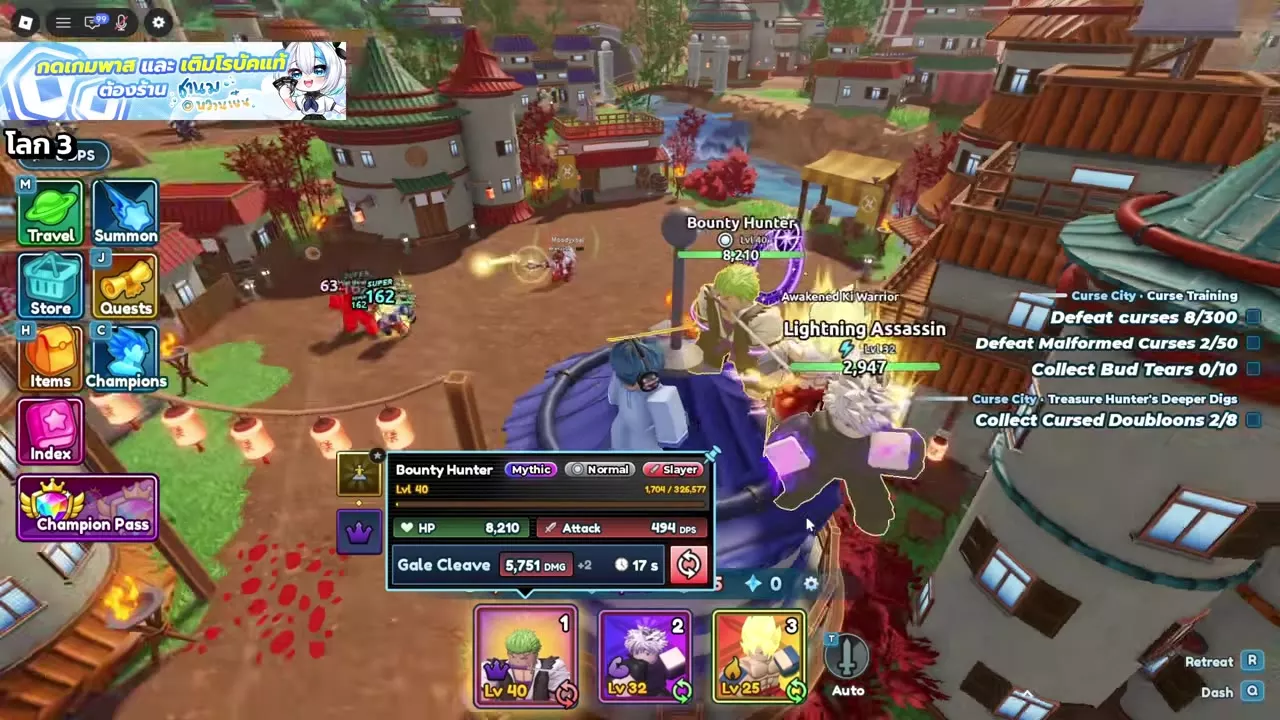
- Open a Champion’s information and click the loop icon beside its skill. Green means automatic casting is on; red means it is off.
- Repeat for each Champion you want to configure. With the setting on, that Champion casts its skill when it is ready, then the hotbar shows the cooldown.
Keep Manual Control When It Matters
- For a normal-attack objective, turn off Auto Abilities for the Champions landing the hits and let them use basic attacks without manually casting their skills. Auto Attack can remain on for target selection.
- For an objective that counts ability uses, keep automatic casting on so equipped Champions use their skills as they become ready.
- To save a skill for a boss, turn off automatic casting for that Champion. After the shield breaks, click the Champion’s card or press its slot number to cast.
If Auto is lit but your team is standing idle, move closer to living enemies.
Set Up Overworld Farming
Once Auto Attack is on, choose a position near enemies your team can handle. See Overworld AFK Farming Spots and Setup for positions and team adjustments, Combat Controls, Shields and Recovery for manual battle controls, and Game Passes and Voucher Redemption for other Voucher sources and pass choices.